I finally went ahead and updated to the new OS version even though I wasn’t sure that any of the updates would help me. I had a sideloaded app called Keymapper. I used it to map my volume keys to the screen brightness so I could turn on the screen light when it was dark and have it off when it was light. I can no longer access the accessibility menu to allow the app the access it needs. The new accessibility menu no longer shows apps that need system access. Instead it has an extremely limited menu that doesn’t let me enable the keymapper app (which for some reason gets disabled every so often).
This is really frustrating since remapping those buttons probably did more for me on a daily basis than anything in the update package.
Has anyone else run into this issue? Does anyone know a fix or workaround for it?
I’m not sure, but have you checked the developer options to see if there might be something there that could help solve the problem? Perhaps there are special app access options?
I went into developer options. The problem is I don’t totally remember what the exact name of the setting was that enabled the app, I just know it used to be present under the accessibility options. I tried searching for that but it just keeps taking me back to the same limited menu. If I could remember the exact option I had to enable instead of just the menu it was previously under, it would probably be easier to find.
@bone_naga
I also resisted the update but I went with finally because I need to test the launcher on it, and just saw your post yesterday but was too busy to reply.
This is a very short sighted decision from the developers.
@urszula@michalstasiuk I’ll repeat one more time, tell your developers to stop removing default android dialogs just because they don’t think nobody will use them.
Hiding the accessibility dialog and permission just broke some feature that some users requested from me for my text launcher.
And not only that, I use accessibility permission to access default android dialogs and features by using button shortcuts. And removing this just made it impossible.
And this is not just a disappointment anymore like with them not fixing the Bluetooth bug.
If they can’t fix something, at least don’t break other stuff.
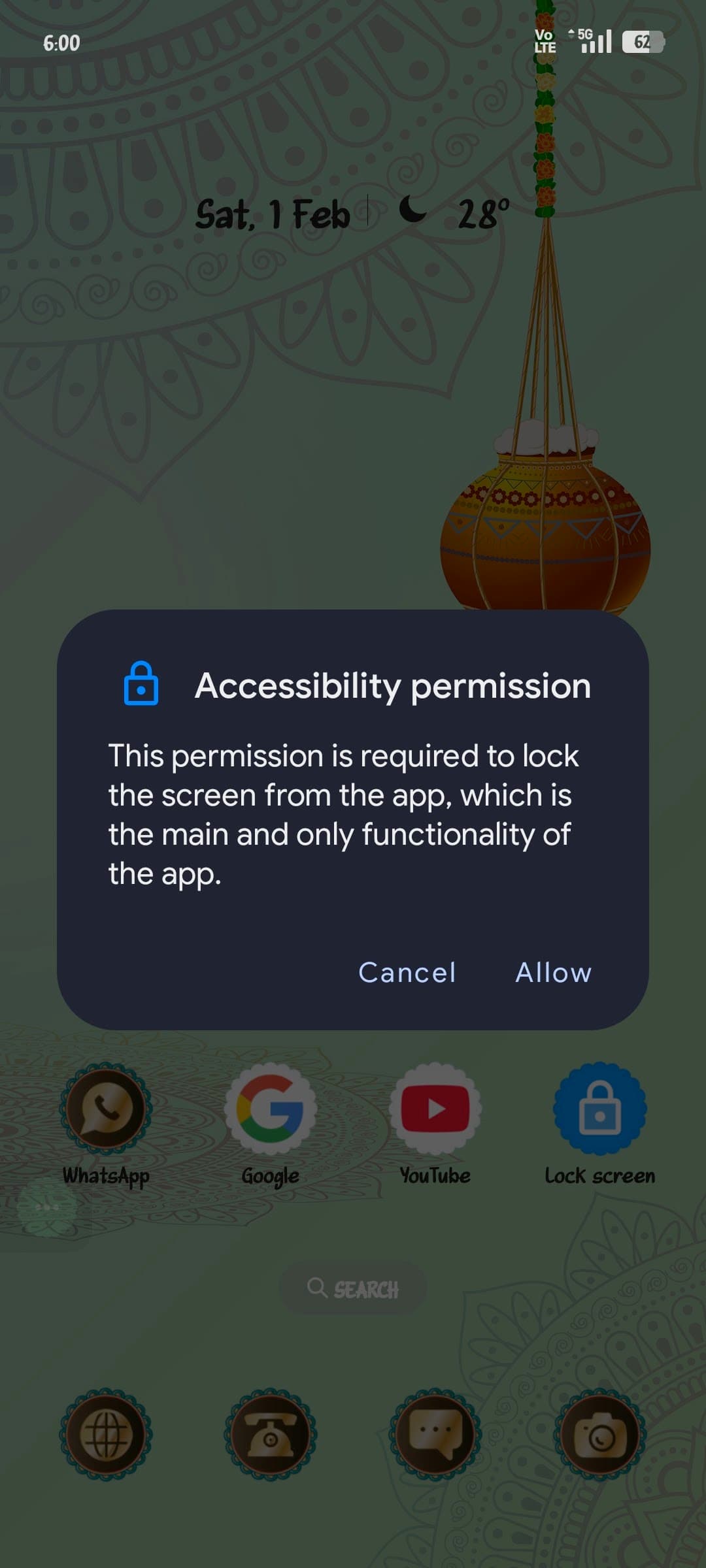
Screenshot: instead of opening the accessibility permission dialog it just shows this window:
Yes I second what you said. It is fucking outrageous that the developers are REMOVING options that are already included by default. This isn’t even a request to add stuff in, just stop removing the options that already exist. I thought Mudita believed in users having control over their own devices.
100%, options going missing is unexpected and seems unnecessary. I’m starting to regret falling for a closed-source system and being at the mercy of others. At what point do we start rolling our own?
@urszula We’re talking about the accessibility permission feature that was taken away just to be replaced with the “accessibility settings” which to me are useless.
Accessibility permission is required from apps to access certain features to control the device.
For example we used to use the “key mapper” app to make shortcuts for the volume button. Tap volume up 3 times and it would open an app of our choosing or it would turn on the flashlight.
This permission is very important for other stuff as well, there’s tons of apps that require it.
For example a lot of users asked for my app to be able to lock the screen when double tapping in white area. And I can’t do this because your devs took the accessibility permission.
Basically when I try to access the accessibility permission instead of popping up the dialog for the user to allow the permission, we get the “accessibility settings”.
The feature you mentioned has nothing to do with what we’re asking.
I don’t have a screenshot from 1.1.1 but it basically looks like this. They removed this dialog and instead it just redirect the the “accessibility settings”.
Map the volume up and down buttons to turn the screen front light on and off when in a dark room.
I mapped the bottom right button on the front of the phone to the ‘Recent App’ application to make multitasking and switching between apps less cumbersome and more like a traditional android phone.
I installed both applications and configured them on the previous firmware and have since upgraded to the latest firmware and both are still working for me but I would be gutted if I lost that functionality if I reset my phone or had to re-install Key Mapper or Macrodroid.
The phone is so much more usable with these shortcuts in place.