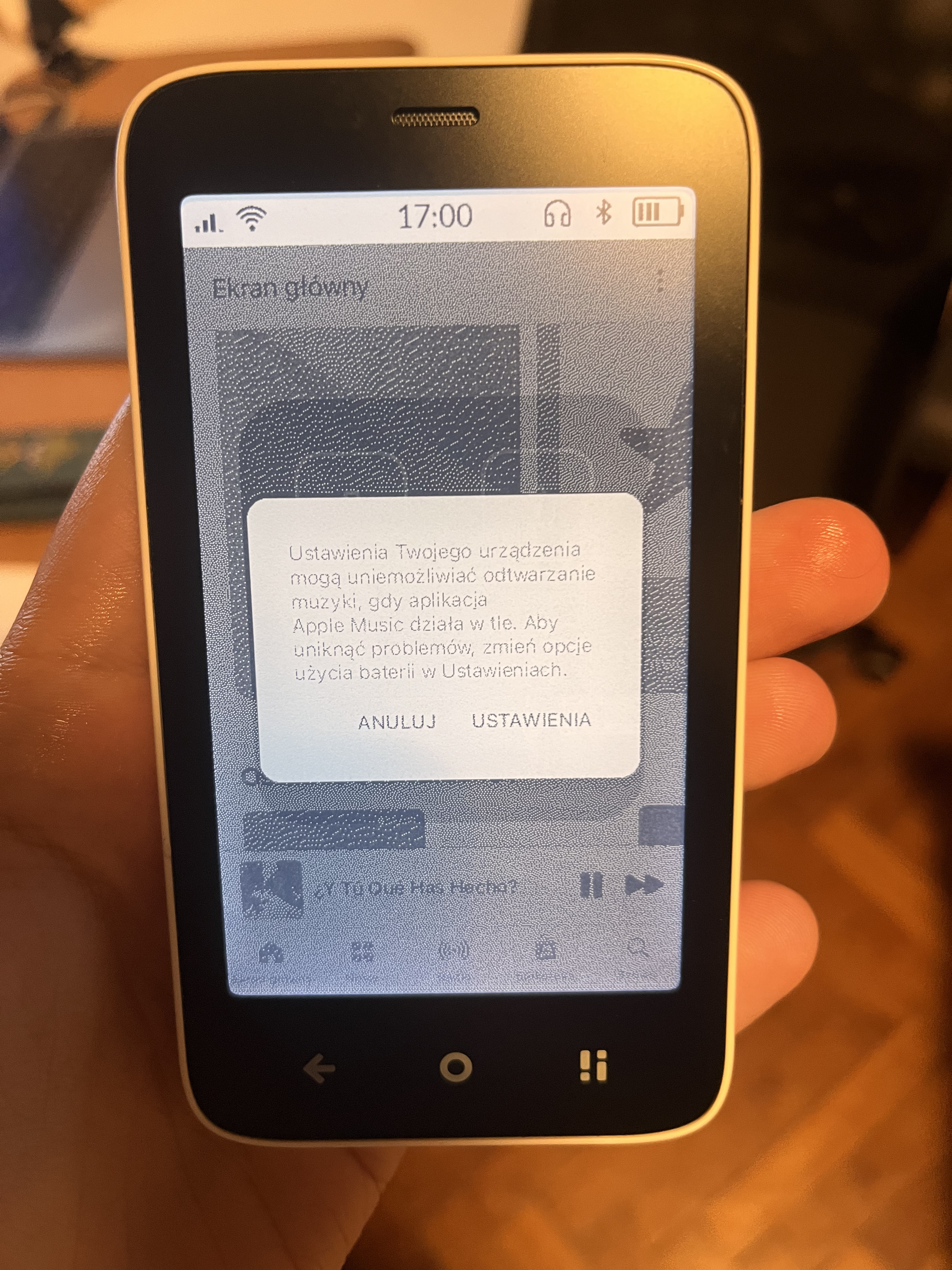
After updating to OS 1.6.1, I noticed that Apple Music stops playing after just a couple of tracks. Other apps (like the native music player or CalmCast) continue running fine in the background, but heavier ones like Apple Music or Beeper get shut down — even with DuraSpeed optimisation turned off.
It would be really great to receive some official support from Mudita for allowing and protecting background processes for selected apps, without having to resort to nerdy setups I don’t understand.
Yes, there’s an app called DuraSpeed (I think it’s a MediaTek creation linked to the use of MediaTek processors) which unfortunately is a bit hidden but some other apps specifically designed for Mudita (like pretty much all apps from https://wanderthe.dev/) will have a shortcut. You need to open DuraSpeed and exclude apps which should run in the background. The issue is that this works for some apps, and some will still shut down. For example I use a radio app called TOK Fm and it plays forever even though it’s totally not optimised and pretty heavy. Unfortunately Apple Music stops.
For sure, actually some apps specifically ask for permissions to ignore batter optimisation (for example Music Box by wander) but Apple Music doesn’t and DuraSpeed exclusion doesn’t help. Not sure why it worked fine before the update.
Just got annoyed with this again so sharing a photo Whatever I start playing, it will run for 15 minutes and stop. It would be great to have a battery setting allowing apps to ignore battery optimisation.
I’ll jump on here to clarify some things. Mudita Kompakt is intended to be a minimalist phone & it does not have the same RAM & CPU capabilities as a traditional smartphone. Heavy third-party applications disrupt Mudita Kompakt because its hardware is specifically tuned for low-power, minimalist operations, lacking the massive RAM and processing overhead of standard smartphones. DuraSpeed acts as a strict traffic controller, actively freezing background apps to preserve battery life and prioritize core functions. This is why some users will recommend to disable Duraspeed. However, when users disable it to force sideloaded apps to run, those apps operate unrestrained and cause a cascade of system-level issues.
Resource Starvation: Heavy apps continuously syncing in the background monopolize the limited CPU and RAM. This starves essential native apps, causing the e-ink interface to freeze, text messages to delay, or the Dialer app to crash during incoming calls.
Database Conflicts: Applications like WhatsApp create hidden, parallel contact records to track users across their network. This directly conflicts with the Kompakt’s native Contacts database, causing the system to fail at matching numbers to names, which results in raw phone numbers showing up on Caller ID instead of saved contacts.
Deep Sleep Prevention: Sideloaded apps frequently ping cellular data and location sensors. This constant polling prevents the processor from entering deep sleep, resulting in severe overnight battery drain and occasionally generating electronic radio interference during phone calls.


 Whatever I start playing, it will run for 15 minutes and stop. It would be great to have a battery setting allowing apps to ignore battery optimisation.