I really like this Mudita Kompakt!
That e-ink screen, that offline+ button… It’s been my main phone for 10 days and I’m truly happy — congratulations to the team!
A few feature requests I’m eager for:
I saw in the changelog that the lock screen will be customizable in 2026… I can’t wait!
I’d also like the control center’s sun icon (screen brightness) to always set the screen to the lowest brightness when tapped, even if that’s a very subjective request and might not suit others.
Problems:
“Low” battery capacity — AccuBattery reports 2600 mAh; I’ll watch this over the medium/long term.
No VoLTE calls; I’m on Orange in France and thought VoLTE was supported. Did I misunderstand?
Won’t charge on my PC’s external dock, whereas my previous phones did.
The keyboard is… what it is ^^
Recommended apps:
Obtainium — for updating apps easily without being tempted to download others
InkOS — come on, you know it
Eink Screensaver — works 1 time out of 5, but better than nothing
Metrolist — for listening to podcasts and streaming music, based on YouTube, usable without a Google account, and music can be downloaded
IceRaven — a Firefox fork supposedly focused on privacy; I recommend adding uBlock to the extensions
SMS Import / Export — to move contacts, SMS, MMS, call logs from one phone to another
K-9 Mail — for email
Beeper — for Discord, Messenger, WhatsApp contacts, etc.; note: no notifications, they rely on Google’s system; I almost want to set up a Matrix server…
Inkmessage — based on Quick, a must-have for SMS
Here WeGo — great online or offline GPS, super fast
AccuBattery — download it; useful to know battery health
Note for a future iteration:
A second slide button like offline+ but that would physically (not just in software) cut the microphone and camera — I’m a bit paranoid about what could be done with that hardware.
Even better: take inspiration from the PinePhone with a removable battery cover, all those kill switches, and easily replaceable components (like the Fairphone).
@Ophe Thank you so much for taking time to write your review. We’re super happy that you’re using Mudita Kompakt as your primary device- especially the E Ink screen and Offline+
Your feature ideas and notes are super valuable, and we’re passing them along to the team. I’d like to address a few points:
“Low” battery capacity — AccuBattery reports 2600 mAh; I’ll watch this over the medium/long term.
As far as I know, the Mudita Kompakt battery is 3000 mAh- I’m not sure where this discrepancy is coming from. I’ve asked the team.
No VoLTE calls; I’m on Orange in France and thought VoLTE was supported. Did I misunderstand?
Go to SETTINGS>>>Network & Internet>>>>Advanced & make sure you have selected LTE.
Won’t charge on my PC’s external dock, whereas my previous phones did.
I’m not sure I understand- can you be a bit more specific. How are you charging your phone? Where are you plugging it in?
One final note- I appreciate the app list, it’s always helpful for other community members exploring their setup. Enjoy the journey with Kompakt, and keep the feedback coming
I got some feedback about this from our team: Could you please also check if you’ve enabled the ECO Battery Mode- which limits charging to 80%- which is why it may be showing 2600mAh.
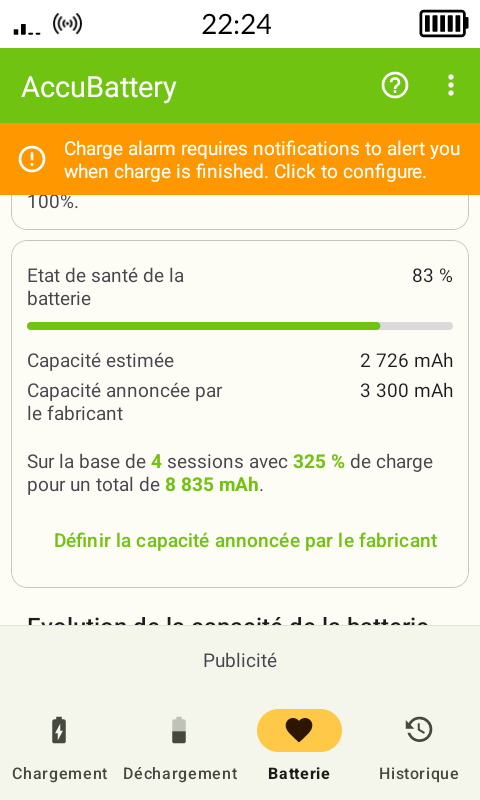
About the battery: I don’t have the charge limited to 80%. After 4 charge cycles since I installed AccuBattery, it shows 2726 mAh instead of the 3300 mAh listed on Mudita’s site — Mudita Kompakt Technical Specifications
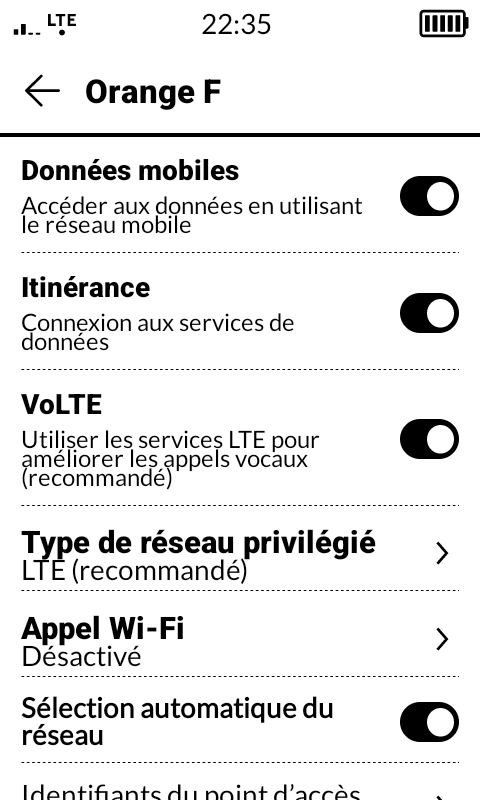
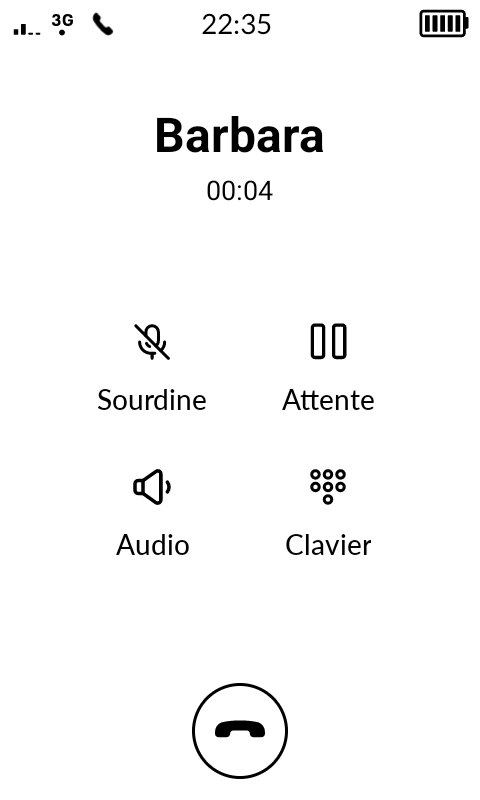
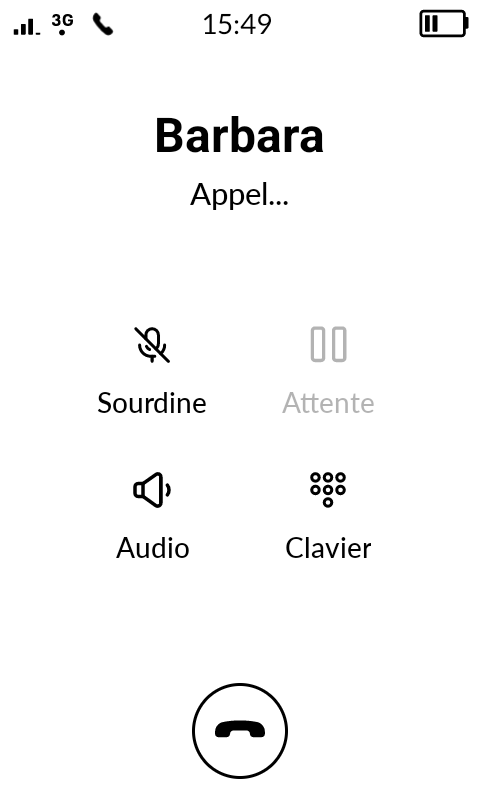
About VoLTE: it is enabled, but I don’t get LTE calls — it falls back to 3G. See attached photos.
About my PC dock: that’s probably the dock’s fault; it’s a low-end model with no Power Delivery certification.
One last question: my 400 GB SD card isn’t recognized. Do I need to format it to a special filesystem?