Hi everyone,
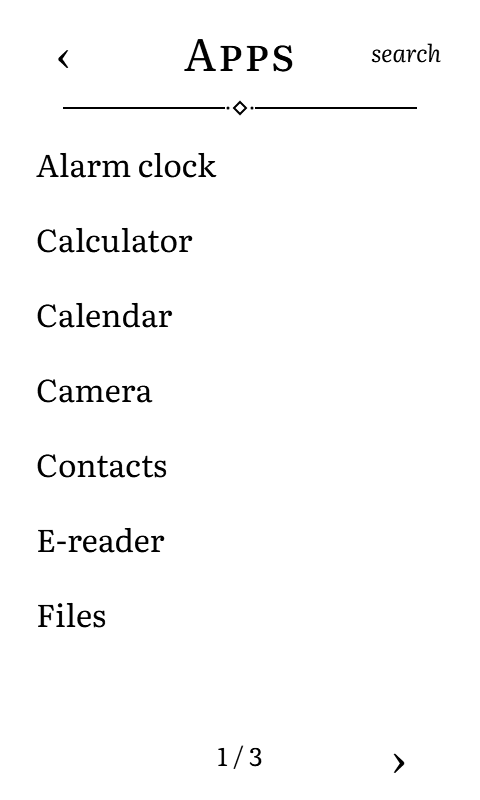
I built a lightweight (240 KB) with claude AI, text-based launcher specifically for the Mudita Kompakt and wanted to share it here in case others find it useful.
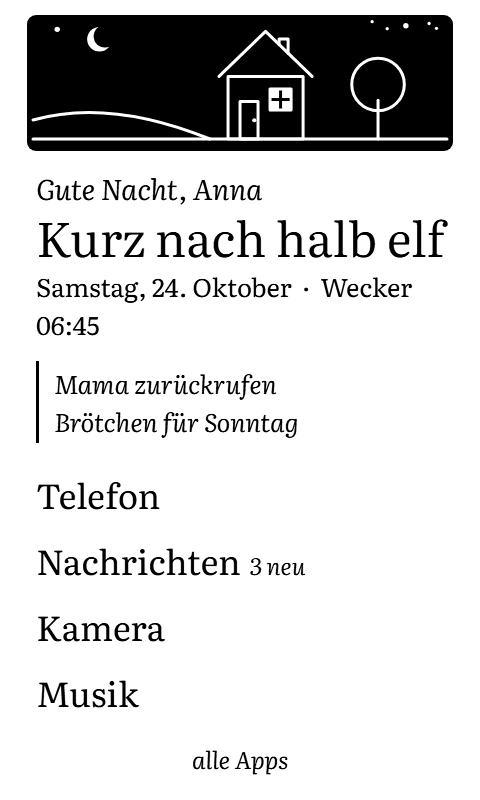
It is written in pure Kotlin without external dependencies, does not request internet access, and supports English, German, and Polish.
Main features are:
Home Screen & App Drawer
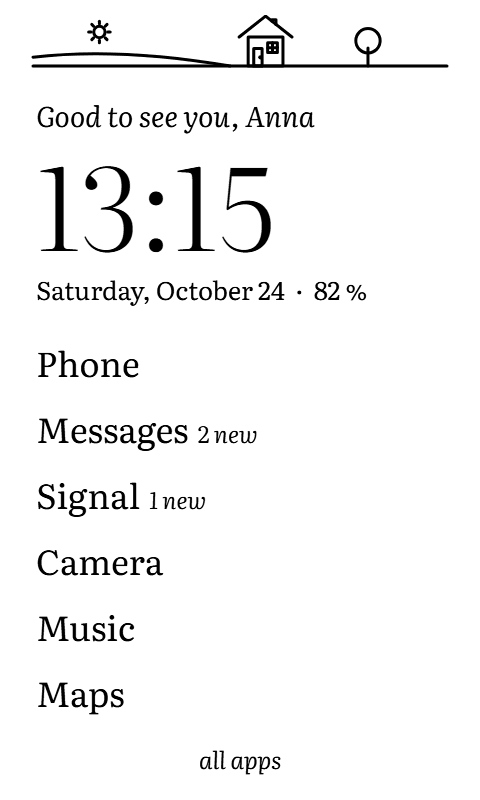
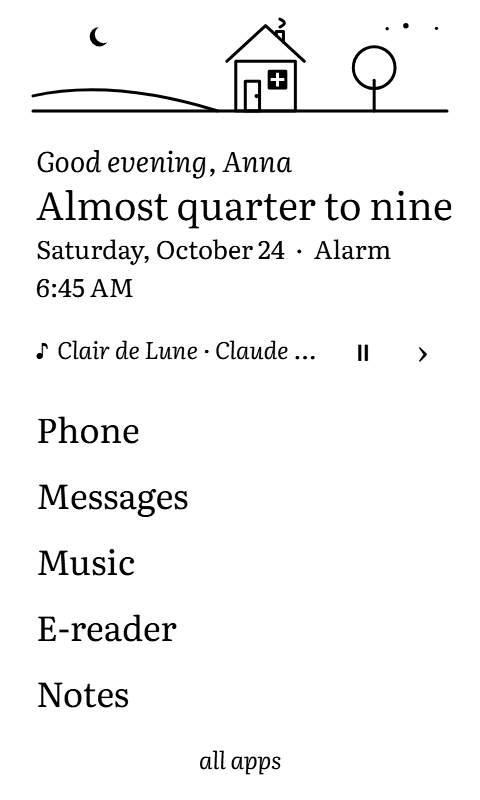
- Optional day/night line-art house illustration at the top (can be hidden for a pure text layout).
- Clock in digits or natural-language words (EN / DE / PL).
- Up to 7 favorite apps on the home screen with unread counters, plus a single-line media bar when audio is playing.
- Swipe up for the app drawer with page-by-page navigation, A–Z jump, and search.
Quick Controls & Notifications (Swipe Down)
- Direct Number: Call or send an SMS to an unsaved phone number without creating a contact first (also shows Signal, WhatsApp, or Telegram if installed).
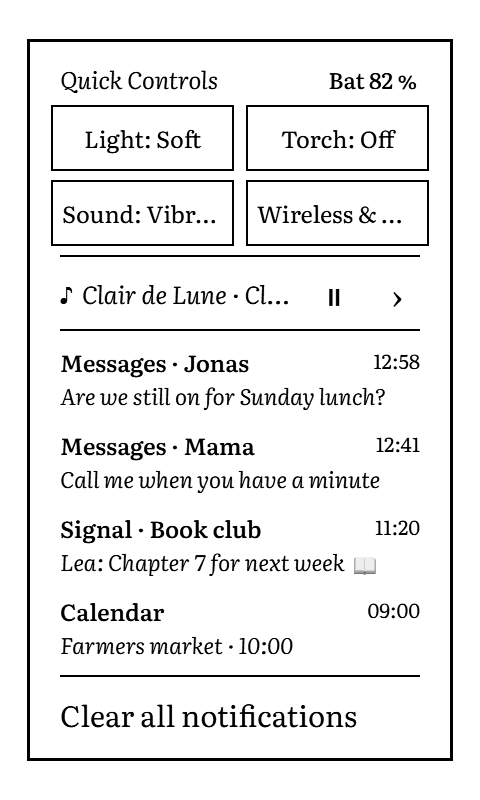
- Notification reader with message previews, DuraSpeed spam filtering, and a one-tap reset for stuck unread badges.
E-Ink & System
- Hooks into Mudita’s meink service so you can set the E-Ink display mode globally or per app via long-press.
- Full E-Ink flash refresh (tap the house illustration or enable auto-refresh on return to Home).
- One-tap unrestricted background permission per app (to prevent the 60s background cutoff) and scheduled Night Quiet (22:00 – 07:00).
- 4-step setup guide on first launch + JSON backup & restore.
Installation
- Download Zuhause-1.0.apk from the GitHub Releases page below.
- Sideload it using Mudita Center or via ADB (adb install -r Zuhause-1.0.apk).
- On first launch, the setup guide walks you through language, clock style, permissions, and setting Zuhause as your default launcher.
Links (remove the brackets around the dot):
- Download APK (v1.0): github[.]com/georgrdt/zuhause/releases/tag/v1.0
- Source Code: github[.]com/georgrdt/zuhause
Feedback and suggestions are welcome! 
1 Like
Could we see some screenshots? I’m curious what it looks like but just a description isn’t giving me a good mental picture 
1 Like
Very nice, thank you! I may give it a try
1 Like
Congratz on your first app, it looks very nice!
Here’s some feedback:
It is very dishonest to not credit the app you gave to your LLM to make this for you.
It is clear from the package name and the description of the app, the notification window. And it’s very dishonest to change the license and remove the credit that was in the einkhelper.
8 Likes
Hello,
thank you. It was not dishonesty. I just never made an app so I dont know how this works. I now edited my my post and said that it was made with LLM. I am very sorry.
1 Like
No the dishonesty part wasn’t about using an LLM
The issue is the app u used to feed it to the LLM (inkOS), is not credited anywhere.
But the actual bigger issue for me is removing the comment on the einkhelper where I credited a developer for providing me with a fix to make e-ink modes work properly in the Kompakt.
Using AI to help with development is totally ok, but letting AI remove credit it is not ok.
3 Likes
I guess, thats the issue, when using Ai for developing. It was not on purpose. I’ve only been playing around with it for two days and was impressed by the result, so I wanted to share it on the forum. I didn’t mean to take credit away from anyone or steal anything from anyone. I’ve now deleted the repo. I didn’t realise that the AI had removed the credits. My apologies, and have a lovely evening!
2 Likes
That is okay, you didn’t know. Also you don’t have to delete the app, you can just correct the repo.
inkOS is open-source already, everyone is allowed to clone it and do with it as they desire.
However you need to keep the credits, and keep the original license. Just because the LLM can scrabble the code and make it a little different doesn’t make it ok.
If you have any questions you can message me and I’ll try to guide you how to do it properly.
No worries, have a nice evening as well
4 Likes