The native Mudita OS Calendar, Camera and Music app start automatically each time the device is restarted. I think I observe (although I’m not absolutely sure) that they also restart after a while if stopped whilst the device is running, even if you manually force-stop them via Settings-Manage Apps.
I assume this is also true for apps critical for the basic function of the device too, such as Phone and SMS. Autostarting critical apps makes perfect sense - the device wouldn’t be doing its job otherwise, but some apps - like Music or Camera - seem not to be critical, and the user apparently has the option of shutting them down, with possible minor benefit to the devices performance, power consumption and security profile (ie, you may not want the camera running). I haven’t tested for any such benefit, and wouldn’t know how to anyway.
If I don’t want or need a non-critical app to run all the time, and there appears to be an option to force-stop it, then that app should stay stopped. On the other hand, if an app is critical to the device, I shouldn’t have an easy option to break it in the first place.
I suggest that a user should be allowed to disable non-critical apps permanently, and later enable them if they want to; this state should be persistent across reboots and whilst the device is running. I doubt there’s a standard user case for disabling critical apps like the phone app (no doubt there are others), so options to force-stop these should probably be tucked away in Settings-System-Developer options.
I leave it to Mudita techs to decide what constitutes a critical app; I can’t know what process relies on what.
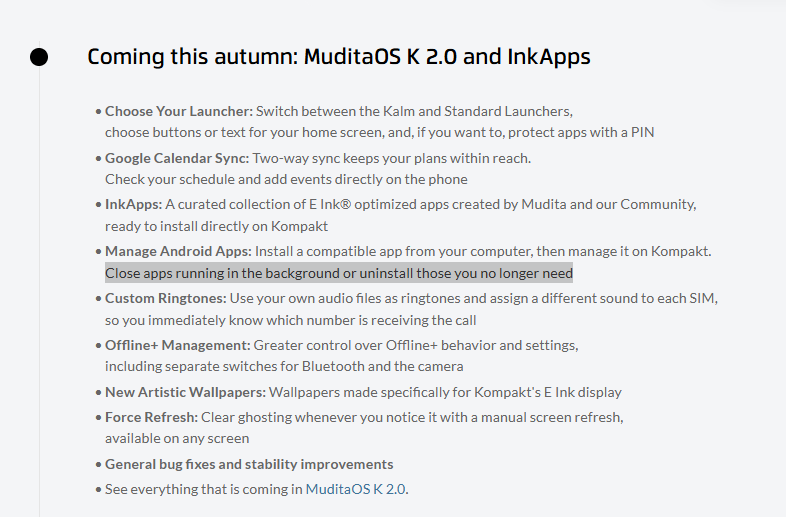
Thanks for reaching out. The good news is that with MuditaOS K 2.0, users will be able to close apps running in the background or uninstall those they no longer need. This should give you more flexibility in managing the apps on your device.
PS: I see that you’re still running MuditaOS K 1.5.0 on your Kompakt. Did you know that the rollout of MuditaOS K 1.61 is complete & you can update your device.
The native apps keep running whatever you do. These don’t magically “know” that you’ve installed an alternative and allow you to permanently disable them.
You may be able to furtle with the underlying Android-type OS via adb to disable or remove unwanted apps, but a user shouldn’t have to consider this risky action..
You cannot easily permanently disable some Mudita apps you neither want nor need; that’s entirely my point.
Mudita does offer a 14-day money back, return policy if you are unsatisfied with your Kompakt. We don’t want you to be unhappy with your purchase, so if the phone in not up to your expectations, you can always return it.
For what little it’s worth, I have no intention of returning my Mudita Kompakt because of such a minor issue as this; it doesn’t affect the device’s normal operation at all. I logged it as a possibility for improvement in the Mudita OS rather than a significant fault.
That’s GREAT to hear, especially since you will have the option to close apps running in the background or uninstall those you no longer need when MuditaOS K 2.0 is released next month.
I mentioned the return policy to @notyet because I got the impression that they are not happy with the device (apologies if I got a wrong impression).
@notyet You might have missed the previous post where we clarified that with MuditaOS K 2.0, users will be able to close apps running in the background or uninstall those they no longer need. This should give you more flexibility in managing the apps on your device. Hope this helps.