# Mudita Center and Linux
**URL:** https://forum.mudita.com/t/mudita-center-and-linux/12702
**Category:** MuditaOS
**Created:** [December 21, 2025, 2:23pm UTC](https://forum.mudita.com/t/mudita-center-and-linux/12702 "2025-12-21T14:23:46Z")
**Posts on this page:** 18
**Page:** 1
### Author:  [@jasonmm1979](https://forum.mudita.com/u/jasonmm1979)
#### Post date: [December 21, 2025, 2:23pm UTC](https://forum.mudita.com/t/mudita-center-and-linux/12702/1 "2025-12-21T14:23:46Z")
Since my question wasn’t answered. I figured I’d repost it here.
Hello everyone! I’m having trouble with Mudita Center. I’m on Linux, to be more specific, Bazzite which is fork of Fedora I believe. I can’t connect my phone to Mudita Center. It asks me to allow for USB access, then asks for a password. Tried the PIN number on the phone, tried my admin password for the computer and nothing works. So I’m kind of at my wits end here. Is there anyone here that uses Linux that could help me? I’m getting very frustrated.
---
### Author:  [@ploum](https://forum.mudita.com/u/ploum)
#### Post date: [December 21, 2025, 4:32pm UTC](https://forum.mudita.com/t/mudita-center-and-linux/12702/2 "2025-12-21T16:32:05Z")
I don’t know about Fedora but, on Debian, your user needs to be part of the “dialout” group (which enable direct access to USB communication).
My first guess is that there’s a similar group on Fedora.
---
### Author:  [@dwaine\_dibbly](https://forum.mudita.com/u/dwaine_dibbly)
#### Post date: [December 21, 2025, 6:06pm UTC](https://forum.mudita.com/t/mudita-center-and-linux/12702/3 "2025-12-21T18:06:21Z")
i use linux mint (ubuntu) with no problem
---
### Author:  [@urszula](https://forum.mudita.com/u/urszula)
#### Post date: [December 22, 2025, 12:06pm UTC](https://forum.mudita.com/t/mudita-center-and-linux/12702/4 "2025-12-22T12:06:04Z")
@jasonmm1979 Is this the same problem:
> [@Mudita Center USB port access](https://forum.mudita.com/t/mudita-center-usb-port-access/12680):
>
> Hello everyone! I’m having trouble with Mudita Center. I’m on Linux, to be more specific, Bazzite which is fork of Fedora I believe. I can’t connect my phone to Mudita Center. It asks me to allow for USB access, then asks for a password. Tried the PIN number on the phone, tried my admin password for the computer and nothing works. So I’m kind of at my wits end here. Any advice?
---
### Author:  [@ehaines99](https://forum.mudita.com/u/ehaines99)
#### Post date: [December 22, 2025, 6:13pm UTC](https://forum.mudita.com/t/mudita-center-and-linux/12702/5 "2025-12-22T18:13:02Z")
I had this issue, and this is what fixed it:
-Go to the location of the Mudita-Center.appimage in your file browser (/downloads in my case)
-Right clicked an empty spot/area in the folder and selected “Open Terminal Here”
-Run this chmod line I got from @jordan :
chmod +x Mudita-Center.appimage
---
### Author:  [@spicebush](https://forum.mudita.com/u/spicebush)
#### Post date: [December 24, 2025, 12:16am UTC](https://forum.mudita.com/t/mudita-center-and-linux/12702/6 "2025-12-24T00:16:52Z")
What worked for me was to enable “USB debugging mode” in the Developer options on the Kompakt, and then connect it to my computer. (search around on the forum about how to do this if you’re not sure what I’m talking about)
---
### Author:  [@shadock](https://forum.mudita.com/u/shadock)
#### Post date: [December 26, 2025, 6:09am UTC](https://forum.mudita.com/t/mudita-center-and-linux/12702/7 "2025-12-26T06:09:27Z")
I use Elementary OS.
Took me long time to find the way to get connected to the Center.
-unlock the phone
- connect via USB
- Execute MCenter
- Choose the device
- Wait, it’s slow
Work for me.
---
### Author:  [@brave.tea](https://forum.mudita.com/u/brave.tea)
#### Post date: [January 25, 2026, 7:41pm UTC](https://forum.mudita.com/t/mudita-center-and-linux/12702/8 "2026-01-25T19:41:56Z")
Hey, just did this yesterday on Bazzite. Here’s what I had to do:
Open up the Terminal and run:
```auto
grep -E '^dialout:' /usr/lib/group | sudo tee -a /etc/group
```
That will make the dialout group available for adding to your user:
```auto
sudo usermod -a -G dialout
```
(I had already tried the `chmod` command from above, but it still wouldn’t work until I ran these two other commands)
Good luck!
---
### Author:  [@ramamohan](https://forum.mudita.com/u/ramamohan)
#### Post date: [May 19, 2026, 2:38am UTC](https://forum.mudita.com/t/mudita-center-and-linux/12702/9 "2026-05-19T02:38:02Z")
Hi,
I tried on fedora 43 workstation.
This command returns the error.
grep: /usr/lib/group: No such file or directory
```auto
grep -E '^dialout:' /usr/lib/group | sudo tee -a /etc/group
```
---
### Author:  [@shadock](https://forum.mudita.com/u/shadock)
#### Post date: [May 19, 2026, 5:03am UTC](https://forum.mudita.com/t/mudita-center-and-linux/12702/10 "2026-05-19T05:03:20Z")
The new version of the Center didn’t work on my old Elementary OS.
But couldn’t update the OS cause my Mackbook was too old (2007).
Tryed other distri on it but nothing worked correctly.
So I have now a 2017 MacBook with Pop OS on it that work really great.
Haven’t tried the Center yet cause the new version is buggy, even on PC or Mac. So I’m waiting for a correction.
---
### Author:  [@weekday\_warrior](https://forum.mudita.com/u/weekday_warrior)
#### Post date: [October 15, 2026, 6:31am UTC](https://forum.mudita.com/t/mudita-center-and-linux/12702/11 "2026-10-15T06:31:42Z")
@ramamohan , some distributions don’t have a `/usr/lib/group`. OpenSuse also doesn’t. Here’s how I fixed it.
Sorry, I’m getting blocked from providing any useful information by the forum software. Probably this is either discourse or a CDN WAF rule or something. I get 403 errors every time I try to post or edit the name of the directory after `sudo tee -a` in your failed command. I’ll add what I can but @urszula or the forum devs may need to fix this by elevating my permissions level or adjusting something in the WAF or security settings.
---
### Author:  [@weekday\_warrior](https://forum.mudita.com/u/weekday_warrior)
#### Post date: [October 15, 2026, 6:41am UTC](https://forum.mudita.com/t/mudita-center-and-linux/12702/12 "2026-10-15T06:41:28Z")
1. I checked whether dialout was already present in the directory I mentioned in my last post.
```auto
> grep dialout
dialout:x::
```
1. I granted my username membership in that group
`> sudo usermod -a -G dialout `
2. I attempted to use Mudita Center again with the same error.
3. I confirmed my username was associated with the dialout group. I noticed in the process that different commands produced different results.
```auto
# the return from these indicates my username has dialout membership
> grep dialout
dialout:x::,
> getent group dialout
> id
# these return only the group specific to my , indicating the current user doesn't have `dialout` membership
> groups
id -nG
```
1. **I rebooted**. when the new session started, all four commands indicated I had dialout group membership, and Mudita Center worked as expected.
---
### Author:  [@urszula](https://forum.mudita.com/u/urszula)
#### Post date: [October 15, 2026, 8:19am UTC](https://forum.mudita.com/t/mudita-center-and-linux/12702/13 "2026-10-15T08:19:01Z")
> [@weekday\_warrior](#):
>
> @urszula or the forum devs may need to fix this by elevating my permissions level or adjusting something in the WAF or security settings.
I have reached out to the team about this.
---
### Author:  [@urszula](https://forum.mudita.com/u/urszula)
#### Post date: [October 15, 2026, 8:29am UTC](https://forum.mudita.com/t/mudita-center-and-linux/12702/14 "2026-10-15T08:29:01Z")
@weekday_warrior This was our team’s response:
Installing the Mudita Center AppImage on Linux often requires setting the correct file permissions or bypassing the Electron sandbox.
The issue described likely relates to manually configuring `udev` rules or user groups for USB access, which can vary by distribution and sometimes triggers web application firewall blocks on support forums when posting file paths like `/etc/udev/rules.d/`.
**1. Make the AppImage Executable**
- Right-click the downloaded `Mudita-Center.AppImage` file and select **Properties**.
- Go to the **Permissions** tab and check the box that says “Allow executing file as program”.
- _Verification:_ Double-click the file; if it launches, your installation is complete.
**2. Bypass the Sandbox (If the app won’t open)** If nothing happens when you click the executable, you are likely encountering a known Linux sandbox permission issue.
- Open your terminal and navigate to the folder containing your downloaded AppImage.
- Run the application by executing the following command: `./Mudita-Center.AppImage --no-sandbox`.
- _Verification:_ The Mudita Center graphical interface should immediately open on your screen.
**3. Alternative: Use an AppImage Manager**
---
### Author:  [@weekday\_warrior](https://forum.mudita.com/u/weekday_warrior)
#### Post date: [October 15, 2026, 4:30pm UTC](https://forum.mudita.com/t/mudita-center-and-linux/12702/15 "2026-10-15T16:30:15Z")
thanks! When I post or edit a post which includes `/` `etc` `/` `group` as a single string, the forum (or CDN or WAF or whatever) pops up a 403.
in case it helps with root causing the issue, after I type that in, the software does two weird things:
1. this red text shows up at bottom right
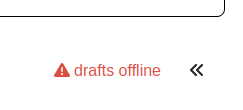
1. the page pops up the following error:
> Draft is being edited in another window. Please reload this page.
---
### Author:  [@urszula](https://forum.mudita.com/u/urszula)
#### Post date: [October 16, 2026, 8:11am UTC](https://forum.mudita.com/t/mudita-center-and-linux/12702/16 "2026-10-16T08:11:03Z")
> [@weekday\_warrior](#):
>
> Draft is being edited in another window. Please reload this page.
Are we talking about Mudita Center now? Or are you referring to something that’s happening on the FORUM? Cuz I’m a little confused 😵💫
---
### Author:  [@weekday\_warrior](https://forum.mudita.com/u/weekday_warrior)
#### Post date: [October 16, 2026, 4:11pm UTC](https://forum.mudita.com/t/mudita-center-and-linux/12702/17 "2026-10-16T16:11:02Z")
> [@weekday\_warrior](#):
>
> I granted my username membership in that group
> `> sudo usermod -a -G dialout `
Adding the active user to the `dialout` group wasn’t directly included in the dev’s walkthrough, though they mentioned it obliquely. Seems to be unblocking most people, once they’ve gotten past making the appimage executable.
---
### Author:  [@weekday\_warrior](https://forum.mudita.com/u/weekday_warrior)
#### Post date: [October 16, 2026, 4:15pm UTC](https://forum.mudita.com/t/mudita-center-and-linux/12702/18 "2026-10-16T16:15:18Z")
> [@urszula](#):
>
> Are we talking about Mudita Center now? Or are you referring to something that’s happening on the FORUM? Cuz I’m a little confused 😵💫
[This post](https://forum.mudita.com/t/mudita-center-and-linux/12702/15) describes how the **forum** bug shows up for me. This bug was blocking me from explaining how to work around the MC issue.
Sorry I wasn’t clearer about that!