Not being able to easily block phone numbers for spam text messages is annoying. Will there be an update that addresses this?
1 Like
If you go into your recent calls and tap the “i” icon next to a number, you can block the number.
1 Like
TEXT MESSAGES do not appear on my “Recent Calls” list,
My apologies, I misread your post. If you’re willing to sideload, apps like InkMessage and Messaging add features like that.
1 Like
Thanks, I’ll look into those.
Call blocking is already available- it it’s for blocking calls from specific numbers.
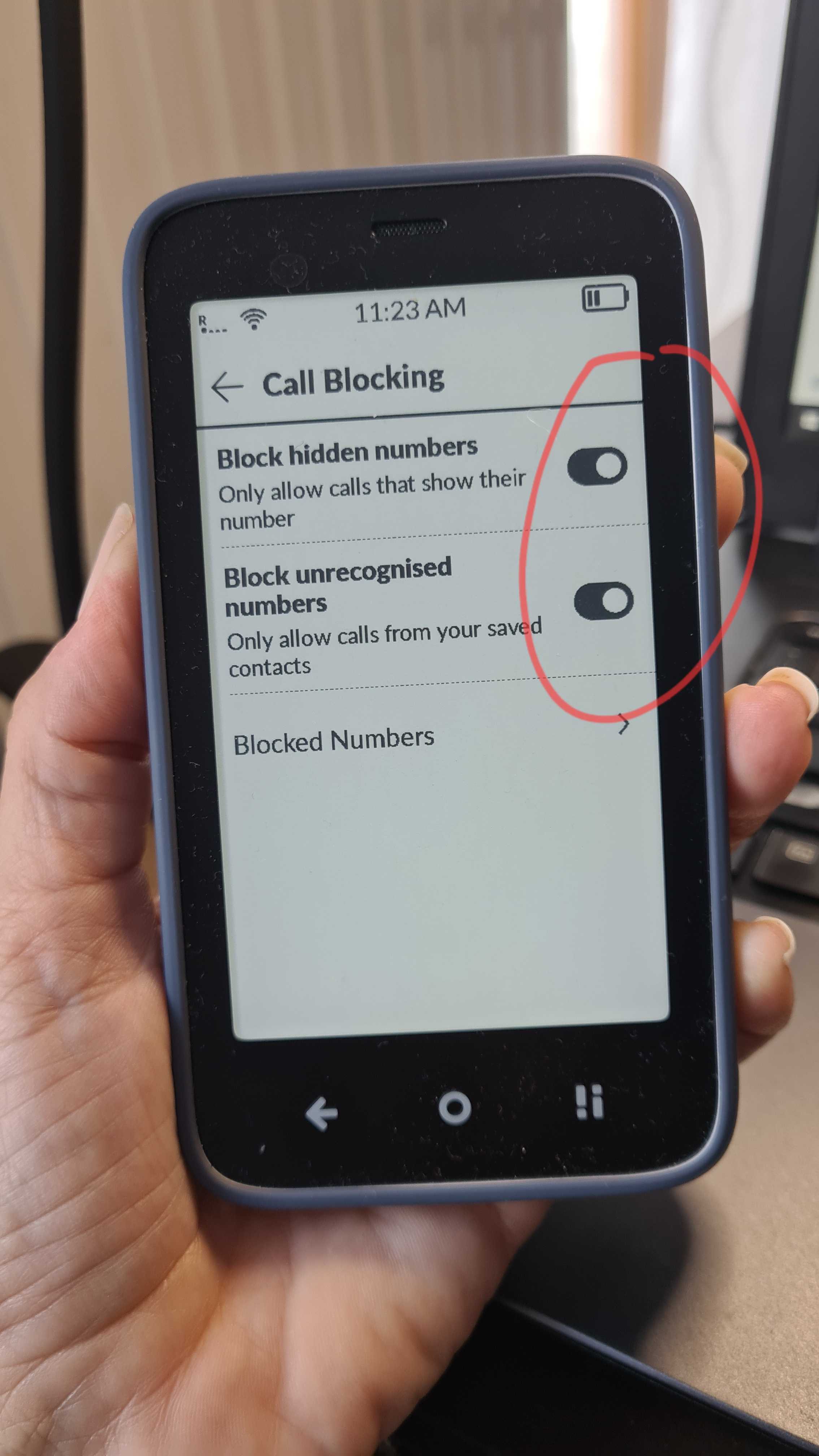
You can block unknown numbers or numbers that are not in your contact list.
Just blocking spam texts is not something that is currently on our roadmap. One thing that might help clarify what’s going on here: spam blocking doesn’t actually happen primarily on the phone itself. Most of it happens at the carrier level or through large, constantly updated databases that track suspicious numbers and call patterns.
That’s why some smartphones feel more effective at blocking spam. They’re connected to massive ecosystems (like Google or third-party apps) that collect and share data about spam numbers in real time.
Mudita Kompakt takes a different approach. It doesn’t rely on those kinds of data-sharing systems. As a result, it has less access to large-scale spam detection databases, and more of the responsibility shifts to the carrier or manual call blocking.
So, if you’re seeing a lot of spam, it’s usually tied to how your number is being targeted or how your carrier handles filtering, rather than something specific the phone is doing or not doing.
It might be worth checking if your carrier offers additional spam filtering or blocking services, as that’s often the most effective layer of protection.
In the meantime, where supported by your carrier, spam texts can be reported by forwarding them to 7726.
Thanks for responding. Maybe I have not been clear by trying to be brief.
I guess my question is…can you block phone numbers without having to physically type it in using the keyboard or dial pad.
Or. do you physically have to type in the ten digit phone number into “Call Blocking”?
Is there no way to copy/paste the phone number into the “Blocked Number” file?
1 Like
Not sure if something has changed recently but I’ve been successfully blocking spam numbers (text + calls) directly from the stock SMS app for a couple weeks now. I’ve had 100% success rate so far and man is it nice.
Just a few clicks, not even copy/paste required. Open the conversation with the number you wish to block → 3 circles top right → ‘see participants’ → info icon directly across from the number → ‘block’ → ‘block number’.
I’m in the US on T-mobile postpaid if that makes a difference
1 Like
If the number called you & is NOT on your contact list, you can press the “i” icon & then block from there:
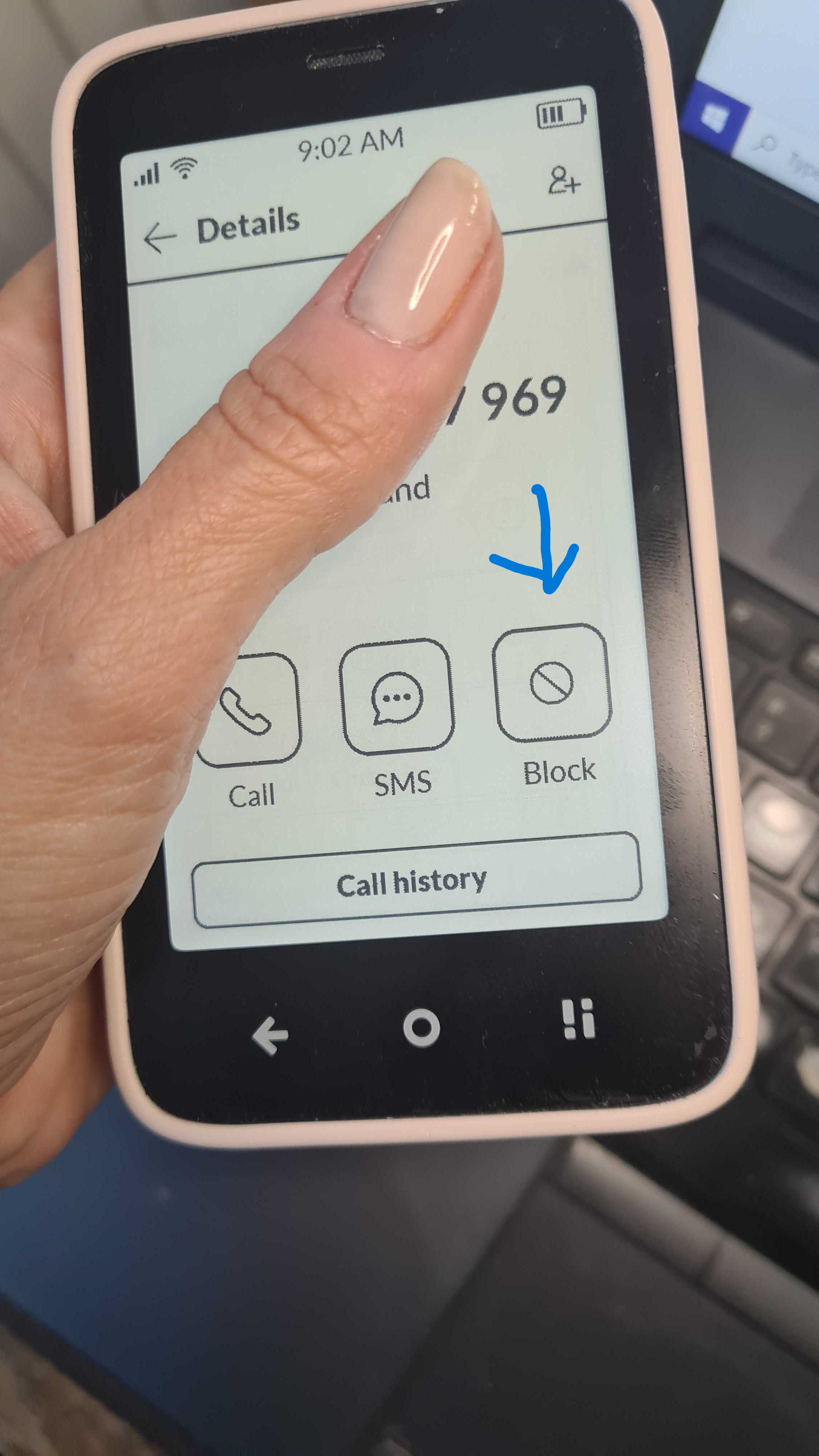
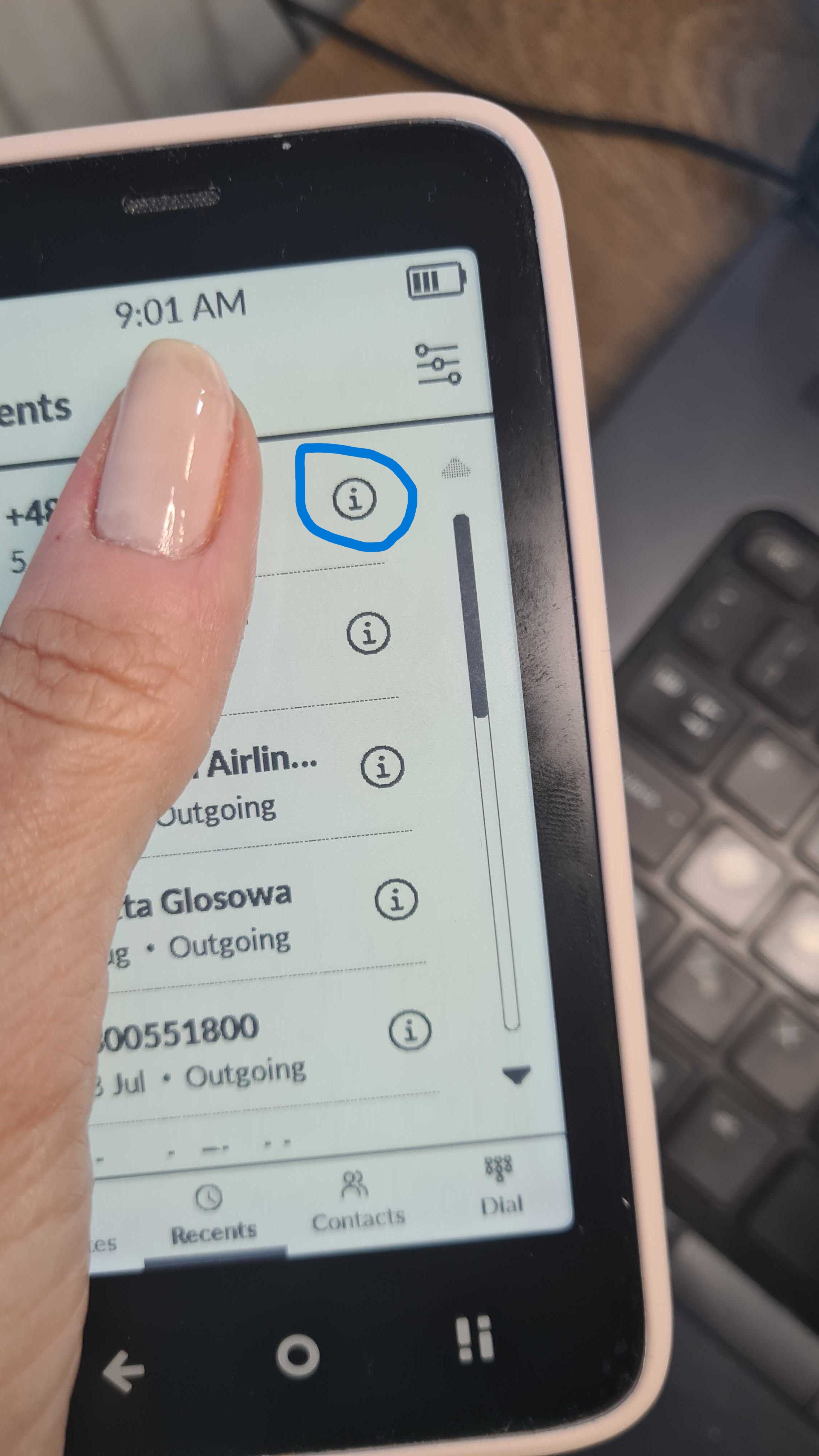
EXCELLENT!!! This is just what I wanted. You solved my problem. Thanks!!
1 Like
Thank you very much. Your solution turned out to be very useful to me.
1 Like